
1. ਜਾਣ-ਪਛਾਣ
This manual provides instructions for the Unitek USB-C to USB-C Cable, Model C14091ABK. This cable is designed for high-speed data transfer, 4K video output, and efficient power delivery between compatible USB-C devices. Please read this manual carefully before using the product.
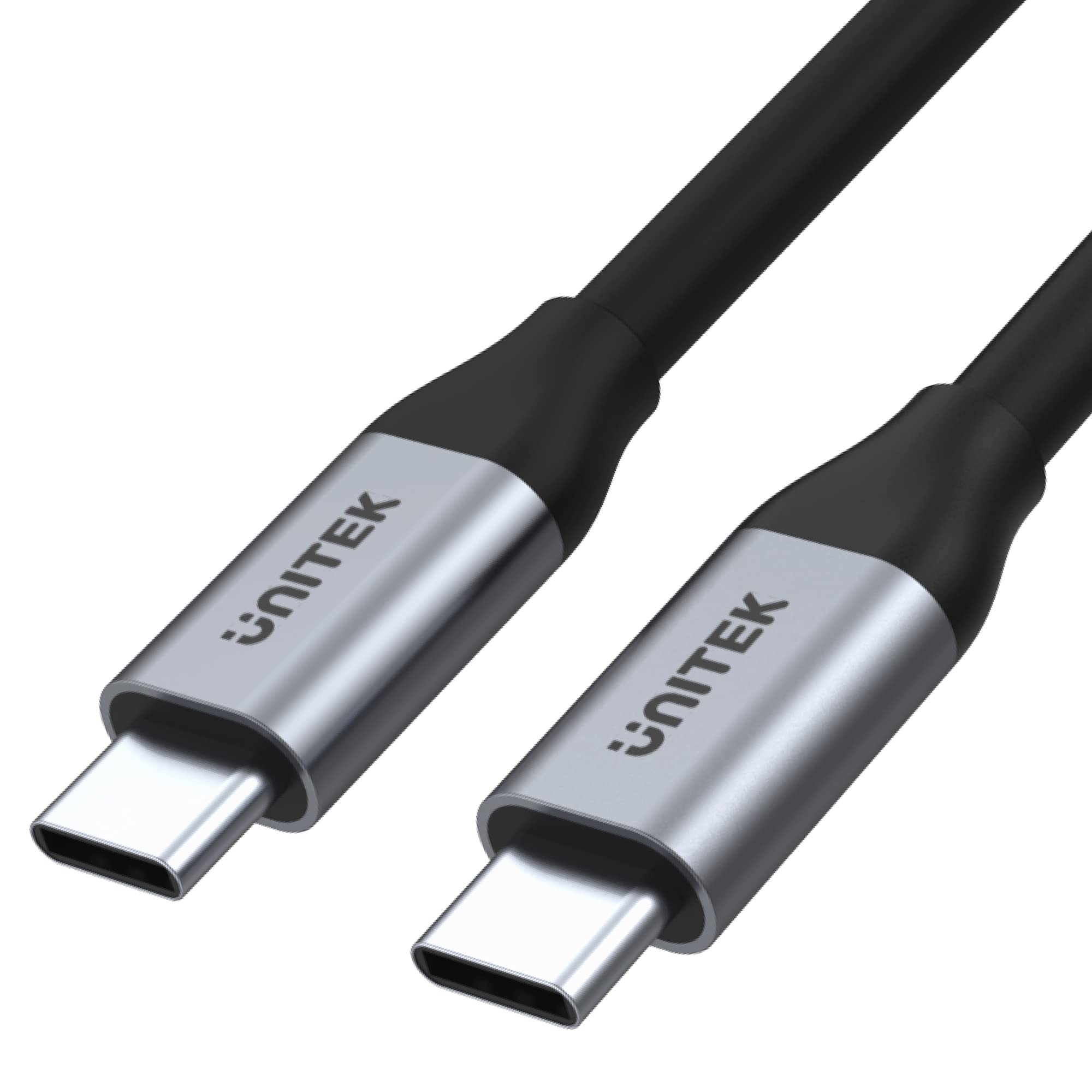
ਚਿੱਤਰ 1: Unitek USB-C to USB-C Cable (Model C14091ABK). This image shows the cable with its two USB-C connectors, highlighting its sleek design and robust construction.
2. ਉਤਪਾਦ ਦੀਆਂ ਵਿਸ਼ੇਸ਼ਤਾਵਾਂ
The Unitek USB-C to USB-C Cable (C14091ABK) offers the following key features:
- ਹਾਈ-ਸਪੀਡ ਡਾਟਾ ਟ੍ਰਾਂਸਫਰ: Supports ultra-fast data transfer rates up to 5 Gbps, compliant with USB SuperSpeed 3.1 Gen 1 specification.
- 4K ਵੀਡੀਓ ਆਉਟਪੁੱਟ: Capable of transmitting 4K or 2K resolution video at 60Hz, suitable for connecting to compatible monitors or displays.
- 100W ਪਾਵਰ ਡਿਲਿਵਰੀ: Provides up to 100 watts (20V/5A) of power, supporting fast charging for laptops, tablets, and smartphones that utilize USB Power Delivery (PD) protocols, including Quick Charge 3.0 and above.
- ਟਿਕਾਊ ਉਸਾਰੀ: Features robust aluminum housings for the connectors, ensuring longevity and reliable performance.
- Integrated E-MARK Chip: An internal E-MARK chip manages power parameters for safe and efficient power delivery, especially crucial for high-wattagਈ ਚਾਰਜਿੰਗ.

ਚਿੱਤਰ 2: Visual representation of the cable's key features, including 100W USB PD, USB-C connectivity, aluminum construction, 5Gbps USB 3.1 Gen 1 data transfer, 4K 60Hz video support, and E-Mark Chip for safe charging.
3. ਸੈੱਟਅੱਪ
This USB-C cable is designed for plug-and-play functionality. No software installation or drivers are typically required.
- ਪੋਰਟਾਂ ਦੀ ਪਛਾਣ ਕਰੋ: Ensure both your source device (e.g., laptop, charger) and target device (e.g., monitor, smartphone, external drive) have compatible USB-C ports.
- ਕੇਬਲ ਕਨੈਕਟ ਕਰੋ: Insert one end of the USB-C cable into the USB-C port of your source device.
- Connect to Target: Insert the other end of the USB-C cable into the USB-C port of your target device.
- ਕਨੈਕਸ਼ਨ ਦੀ ਪੁਸ਼ਟੀ ਕਰੋ: The devices should automatically detect the connection and begin data transfer, video output, or charging as applicable.
4. ਓਪਰੇਟਿੰਗ ਹਦਾਇਤਾਂ
The Unitek USB-C to USB-C Cable supports multiple functions:
- ਡਾਟਾ ਟ੍ਰਾਂਸਫਰ: Connect two USB-C devices to transfer files at speeds up to 5 Gbps. Ensure both devices support USB 3.1 Gen 1 or higher for optimal performance.
- ਵੀਡੀਓ ਆਉਟਪੁੱਟ: Connect a USB-C enabled laptop or tablet to a USB-C monitor or display for video output up to 4K at 60Hz. The source device's USB-C port must support DisplayPort Alternate Mode (Alt Mode).
- Power Delivery (Charging): Use the cable with a compatible USB-C power adapter and device to charge at up to 100W. The charging speed depends on the capabilities of both the charger and the device being charged.
5. ਰੱਖ-ਰਖਾਅ
To ensure the longevity and optimal performance of your Unitek USB-C to USB-C Cable, follow these maintenance guidelines:
- ਸਟੋਰੇਜ: ਕੇਬਲ ਨੂੰ ਸਿੱਧੀ ਧੁੱਪ ਅਤੇ ਬਹੁਤ ਜ਼ਿਆਦਾ ਤਾਪਮਾਨਾਂ ਤੋਂ ਦੂਰ ਠੰਢੀ, ਸੁੱਕੀ ਜਗ੍ਹਾ 'ਤੇ ਸਟੋਰ ਕਰੋ। ਕੇਬਲ ਨੂੰ ਤਿੱਖੇ ਕੋਣਾਂ 'ਤੇ ਕੱਸ ਕੇ ਕੋਇਲ ਕਰਨ ਜਾਂ ਮੋੜਨ ਤੋਂ ਬਚੋ।
- ਸਫਾਈ: ਕੇਬਲ ਅਤੇ ਕਨੈਕਟਰਾਂ ਨੂੰ ਸਾਫ਼ ਕਰਨ ਲਈ ਨਰਮ, ਸੁੱਕੇ ਕੱਪੜੇ ਦੀ ਵਰਤੋਂ ਕਰੋ। ਤਰਲ ਕਲੀਨਰ ਜਾਂ ਘੋਲਕ ਦੀ ਵਰਤੋਂ ਨਾ ਕਰੋ।
- ਹੈਂਡਲਿੰਗ: ਕੇਬਲ ਨੂੰ ਪਲੱਗ ਜਾਂ ਅਨਪਲੱਗ ਕਰਦੇ ਸਮੇਂ ਹਮੇਸ਼ਾ ਕਨੈਕਟਰ ਹਾਊਸਿੰਗ ਨੂੰ ਫੜੋ। ਕੇਬਲ ਨੂੰ ਸਿੱਧਾ ਖਿੱਚਣ ਤੋਂ ਬਚੋ, ਕਿਉਂਕਿ ਇਸ ਨਾਲ ਅੰਦਰੂਨੀ ਤਾਰਾਂ ਨੂੰ ਨੁਕਸਾਨ ਪਹੁੰਚ ਸਕਦਾ ਹੈ।
- ਨਿਰੀਖਣ: Periodically inspect the cable for any signs of damage, such as frayed insulation, bent pins, or cracked connectors. Discontinue use if damage is observed.
6. ਸਮੱਸਿਆ ਨਿਪਟਾਰਾ
If you encounter issues with your Unitek USB-C to USB-C Cable, consider the following troubleshooting steps:
- No Connection/Detection:
- Ensure both devices are powered on and their USB-C ports are clean and free of debris.
- Try unplugging and re-plugging the cable firmly into both devices.
- Test the cable with different USB-C ports on your devices, if available.
- Test the cable with other known working USB-C devices to isolate if the issue is with the cable or the connected devices.
- ਹੌਲੀ ਡਾਟਾ ਟ੍ਰਾਂਸਫਰ:
- Verify that both connected devices support USB 3.1 Gen 1 (5 Gbps) or higher. Older USB 2.0 ports will limit speeds.
- Ensure no other high-bandwidth operations are running simultaneously.
- ਕੋਈ ਵੀਡੀਓ ਆਉਟਪੁੱਟ ਨਹੀਂ:
- Confirm that your source device's USB-C port supports DisplayPort Alt Mode. Not all USB-C ports support video output.
- Check the display settings on your source device to ensure the external monitor is detected and configured correctly.
- Ensure the monitor's input is set to the correct USB-C input.
- ਕੋਈ ਚਾਰਜਿੰਗ ਨਹੀਂ/ਹੌਲੀ ਚਾਰਜਿੰਗ:
- Verify that both your power adapter and the device being charged support USB Power Delivery (PD) and the desired wattage (100W ਤੱਕ)।
- Ensure the power adapter is connected to a working power outlet.
- ਕੁਝ ਡਿਵਾਈਸਾਂ ਨੂੰ ਖਾਸ ਚਾਰਜਿੰਗ ਪ੍ਰੋਟੋਕੋਲ ਦੀ ਲੋੜ ਹੋ ਸਕਦੀ ਹੈ; ਅਨੁਕੂਲਤਾ ਯਕੀਨੀ ਬਣਾਓ।
7 ਨਿਰਧਾਰਨ
| ਨਿਰਧਾਰਨ | ਵੇਰਵੇ |
|---|---|
| ਬ੍ਰਾਂਡ | ਯੂਨੀਟੈਕ |
| ਮਾਡਲ ਨੰਬਰ | C14091ABK |
| ਨਿਰਮਾਤਾ | UNITEK |
| ਕਨੈਕਟਰ ਦੀ ਕਿਸਮ | USB ਕਿਸਮ ਸੀ |
| ਕੇਬਲ ਦੀ ਕਿਸਮ | USB |
| ਕਨੈਕਟਰ ਲਿੰਗ | ਨਰ ਤੋਂ ਨਰ |
| ਡਾਟਾ ਟ੍ਰਾਂਸਫਰ ਸਪੀਡ | 5 Gbps ਤੱਕ (USB 3.1 Gen 1) |
| ਵੀਡੀਓ ਰੈਜ਼ੋਲਿਊਸ਼ਨ ਸਪੋਰਟ | 4K @ 60Hz |
| ਪਾਵਰ ਡਿਲਿਵਰੀ | 100W ਤੱਕ (20 ਵੀ / 5 ਏ) |
| ਵਿਸ਼ੇਸ਼ ਵਿਸ਼ੇਸ਼ਤਾਵਾਂ | E-MARK Chip, Aluminium Connectors |
| ਅਨੁਕੂਲ ਜੰਤਰ | Devices with USB-C Port |
| ਰੰਗ | ਕਾਲਾ |
| ਉਤਪਾਦ ਮਾਪ | 11.5 x 6.83 x 4.04 cm; 200 g (Packaging/Cable) |
8. ਵਾਰੰਟੀ ਅਤੇ ਸਹਾਇਤਾ
For warranty information and technical support, please refer to the documentation provided with your purchase or visit the official Unitek webਸਾਈਟ। ਵਾਰੰਟੀ ਦਾਅਵਿਆਂ ਲਈ ਆਪਣੀ ਖਰੀਦ ਦਾ ਸਬੂਤ ਰੱਖੋ।


