
1. ਜਾਣ-ਪਛਾਣ
This manual provides detailed instructions for the installation, operation, and maintenance of your Luqeeg Digital Door Viewer. Please read this manual thoroughly before using the product to ensure proper function and safety. Keep this manual for future reference.
2. ਉਤਪਾਦ ਦੀਆਂ ਵਿਸ਼ੇਸ਼ਤਾਵਾਂ
- 2.4-ਇੰਚ LCD ਡਿਸਪਲੇ: Provides a clear and vivid view of visitors at your door.
- 0.3MP Professional Camera: Captures crisp images for easy identification, even in low light conditions.
- 120° ਵਾਈਡ-ਐਂਗਲ ਲੈਂਸ: ਇੱਕ ਵਿਆਪਕ ਪੇਸ਼ਕਸ਼ ਕਰਦਾ ਹੈ view of your doorstep, minimizing blind spots and enhancing security.
- ਟਿਕਾਊ ਜ਼ਿੰਕ ਮਿਸ਼ਰਤ ਨਿਰਮਾਣ: Engineered for superior wear resistance and impact strength, preventing prying and smashing.
- ਦੋਹਰੀ ਪਾਵਰ ਸਪਲਾਈ: Operates using either 3 x 1.5V AAA batteries (not included) or a 5V 1A USB power source for continuous operation.
- ਆਟੋਮੈਟਿਕ ਡਿਸਪਲੇ ਐਕਟੀਵੇਸ਼ਨ: The screen automatically displays the outside view when the doorbell is pressed, providing convenience for all users.
3. ਪੈਕੇਜ ਸਮੱਗਰੀ
ਪੁਸ਼ਟੀ ਕਰੋ ਕਿ ਸਾਰੀਆਂ ਚੀਜ਼ਾਂ ਪੈਕੇਜ ਵਿੱਚ ਮੌਜੂਦ ਹਨ:
- 1 x Digital Door Viewer Camera Unit
- 1 x Digital Door Viewer Monitor Unit
- 1 x Accessory Kit (includes 2 x Washers, 8 x Screws)
- 1 x ਯੂਜ਼ਰ ਮੈਨੂਅਲ
Note: AAA batteries and a small memory card are not included and must be purchased separately.
4. ਉਤਪਾਦ ਖਤਮview
Familiarize yourself with the components of your Luqeeg Digital Door Viewer.

Figure 4.1: Monitor Unit Components
- LCD ਸਕਰੀਨ: ਲਾਈਵ ਪ੍ਰਦਰਸ਼ਿਤ ਕਰਦਾ ਹੈ view ਕੈਮਰੇ ਤੋਂ
- Monitoring/Power On/Off Button: Press to activate the screen or power the device on/off.
- USB ਇੰਟਰਫੇਸ: For connecting a 5V 1A USB power source.
- Small Memory Card Slot: Insert a memory card (not included) for potential recording features (if supported by firmware).

Figure 4.2: Monitor Unit Rear View (Battery Compartment)
- ਬੈਟਰੀ ਕੰਪਾਰਟਮੈਂਟ: Houses 3 x AAA batteries (not included).
5. ਇੰਸਟਾਲੇਸ਼ਨ ਗਾਈਡ
The Luqeeg Digital Door Viewer is designed for simple installation, fitting standard door peephole holes without requiring special tools.
5.1 ਤਿਆਰੀ
- Ensure your door has an existing peephole or a suitable hole for installation.
- Gather necessary components: Camera unit, Monitor unit, washers, and screws.
- Prepare 3 x AAA batteries (not included) or a 5V 1A USB power source.
5.2 ਸਥਾਪਨਾ ਦੇ ਪੜਾਅ

ਚਿੱਤਰ 5.1: ਇੰਸਟਾਲੇਸ਼ਨ ਖਤਮview
- Step 1: Remove Existing Peephole (if applicable)
Carefully unscrew and remove any existing traditional peephole from your door. - Step 2: Insert Camera Unit
From the outside of the door, insert the camera unit through the peephole hole. Ensure the camera is facing outwards and is flush with the door surface. - Step 3: Secure Monitor Unit
From the inside of the door, connect the cable from the camera unit to the monitor unit. Align the monitor unit with the camera unit and secure it to the door using the provided screws and washers. Ensure the monitor is firmly attached and stable.
5.3 ਡਿਵਾਈਸ ਨੂੰ ਪਾਵਰਿੰਗ
- ਬੈਟਰੀ ਪਾਵਰ: Open the battery compartment on the back of the monitor unit and insert 3 x AAA batteries, observing correct polarity.
- USB ਪਾਵਰ: Connect a 5V 1A USB power adapter (not included) to the USB interface on the side of the monitor unit. This can serve as a backup or primary power source.
6. ਓਪਰੇਟਿੰਗ ਹਦਾਇਤਾਂ
6.1 ਪਾਵਰ ਚਾਲੂ/ਬੰਦ
- ਪਾਵਰ ਚਾਲੂ ਕਰਨ ਲਈ: Press and hold the Monitoring/Power On/Off button located below the LCD screen until the screen illuminates.
- ਪਾਵਰ ਬੰਦ ਕਰਨ ਲਈ: Press and hold the Monitoring/Power On/Off button until the screen turns off.
6.2 Viewing Visitors
- ਮੈਨੁਅਲ View: Press the Monitoring/Power On/Off button once to activate the screen and view the outside area. The screen will automatically turn off after a short period of inactivity to conserve power.
- ਆਟੋਮੈਟਿਕ View: When someone presses your doorbell (if connected and compatible, or if the device detects motion/sound, depending on model features), the screen will automatically activate and display the outside view.
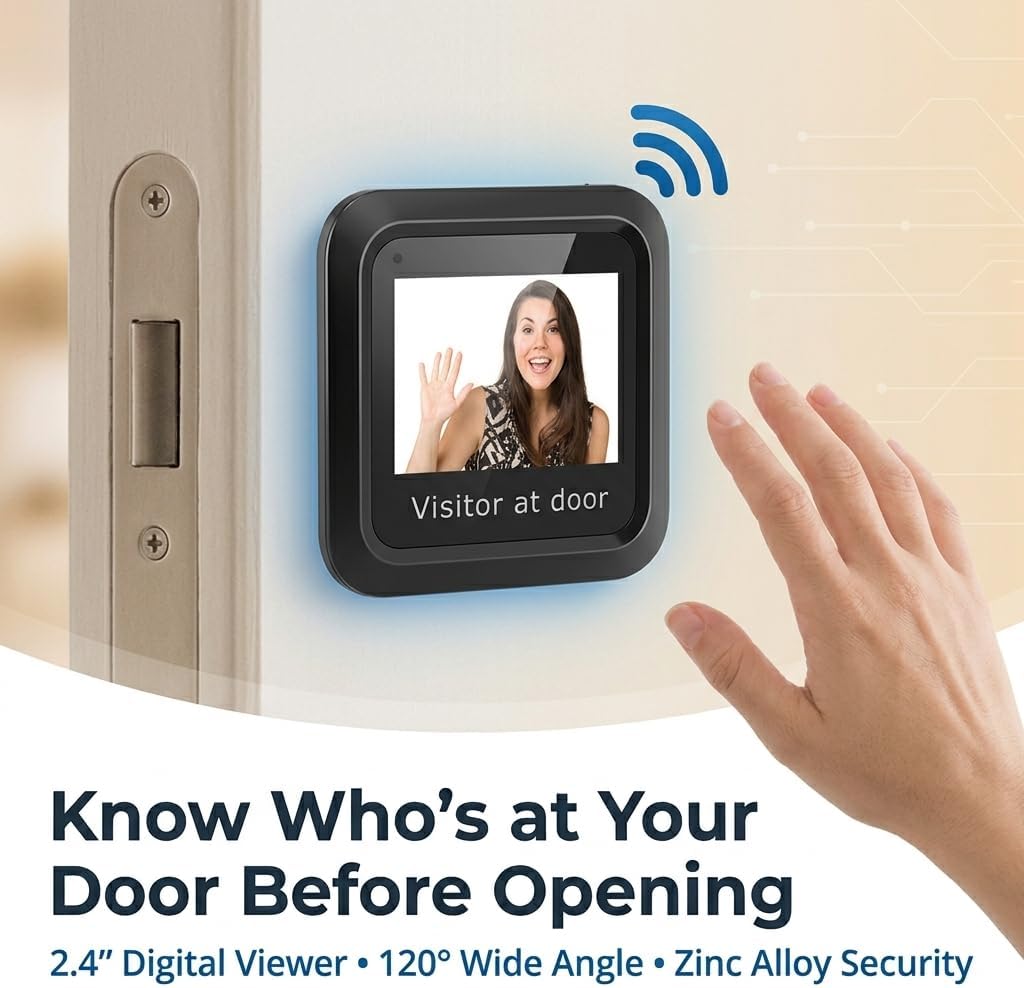
ਚਿੱਤਰ 6.1: Viewing a Visitor
6.3 Memory Card Usage (Optional)
If your model supports recording and you have inserted a small memory card into the slot:
- Refer to the on-screen menu or additional documentation for specific instructions on how to initiate recording, view playback, or manage stored footage.
7. ਰੱਖ-ਰਖਾਅ
- ਸਫਾਈ: Use a soft, dry cloth to clean the screen and camera lens. Avoid abrasive cleaners or solvents.
- ਬੈਟਰੀ ਬਦਲਣਾ: When the battery indicator shows low power, replace all 3 AAA batteries simultaneously. Do not mix old and new batteries.
- ਵਾਤਾਵਰਣ ਦੀਆਂ ਸਥਿਤੀਆਂ: ਇਹ ਯਕੀਨੀ ਬਣਾਓ ਕਿ ਡਿਵਾਈਸ ਬਹੁਤ ਜ਼ਿਆਦਾ ਤਾਪਮਾਨ, ਲੰਬੇ ਸਮੇਂ ਲਈ ਸਿੱਧੀ ਧੁੱਪ, ਜਾਂ ਬਹੁਤ ਜ਼ਿਆਦਾ ਨਮੀ ਦੇ ਸੰਪਰਕ ਵਿੱਚ ਨਾ ਆਵੇ।
8. ਸਮੱਸਿਆ ਨਿਪਟਾਰਾ
| ਸਮੱਸਿਆ | ਸੰਭਵ ਕਾਰਨ | ਹੱਲ |
|---|---|---|
| ਡਿਵਾਈਸ ਚਾਲੂ ਨਹੀਂ ਹੁੰਦੀ ਹੈ। | ਘੱਟ ਜਾਂ ਬੰਦ ਬੈਟਰੀਆਂ। ਗਲਤ ਬੈਟਰੀ ਪੋਲਰਿਟੀ। USB ਪਾਵਰ ਕਨੈਕਟ ਨਹੀਂ ਹੈ ਜਾਂ ਖਰਾਬ ਹੈ। | ਬੈਟਰੀਆਂ ਨੂੰ ਨਵੀਂਆਂ ਨਾਲ ਬਦਲੋ, ਸਹੀ ਧਰੁਵੀਤਾ ਨੂੰ ਯਕੀਨੀ ਬਣਾਉਂਦੇ ਹੋਏ। Check USB cable and power adapter connection. |
| Screen is blank or blurry. | ਕੈਮਰੇ ਦਾ ਲੈਂਜ਼ ਗੰਦਾ ਹੈ। Poor connection between camera and monitor. Insufficient lighting outside. | ਕੈਮਰੇ ਦੇ ਲੈਂਸ ਨੂੰ ਨਰਮ ਕੱਪੜੇ ਨਾਲ ਸਾਫ਼ ਕਰੋ। Ensure the camera and monitor cables are securely connected. The device performs best in adequate lighting. |
| No image when doorbell is pressed. | Doorbell not connected or incompatible. ਡਿਵਾਈਸ ਸੈਟਿੰਗਜ਼. | Verify doorbell connection and compatibility with the digital viewer. Check device settings for automatic activation options. |
| Image quality is poor compared to expectations. | Environmental factors (e.g., glare, extreme darkness). Camera lens obstruction. | ਯਕੀਨੀ ਬਣਾਓ ਕਿ ਕੈਮਰੇ ਦਾ ਲੈਂਜ਼ ਸਾਫ਼ ਅਤੇ ਰੁਕਾਵਟ ਰਹਿਤ ਹੈ। Image quality may vary based on external lighting conditions. |
9 ਨਿਰਧਾਰਨ
| ਵਿਸ਼ੇਸ਼ਤਾ | ਵੇਰਵੇ |
|---|---|
| ਮਾਡਲ ਨੰਬਰ | Luqeegbupzxet1rs |
| ਡਿਸਪਲੇ ਦਾ ਆਕਾਰ | 2.4 ਇੰਚ |
| ਕੈਮਰਾ ਰੈਜ਼ੋਲਿਊਸ਼ਨ | 0.3 ਮੈਗਾਪਿਕਸਲ |
| Viewਕੋਣ | 120 ਡਿਗਰੀ |
| ਉਸਾਰੀ ਸਮੱਗਰੀ | ਜ਼ਿੰਕ ਮਿਸ਼ਰਤ |
| ਬਿਜਲੀ ਦੀ ਸਪਲਾਈ | 3 x 1.5V AAA Batteries (not included) or 5V 1A USB |
| ਆਈਟਮ ਦਾ ਭਾਰ | 8.1 ਔਂਸ |
| ਪੈਕੇਜ ਮਾਪ | 7.87 x 4.72 x 1.97 ਇੰਚ |
| ਸ਼ਾਮਿਲ ਭਾਗ | 1 x Camera, 1 x Monitor, 1 x Accessory Kit (2 x Washers, 8 x Screws), 1 x Manual |
10. ਸਹਿਯੋਗ
For any questions, technical assistance, or support regarding your Luqeeg Digital Door Viewer, please refer to the contact information provided with your purchase or visit the official Luqeeg website. Our customer support team is available to assist you.