
1. ਜਾਣ-ਪਛਾਣ
This manual provides detailed instructions for the setup, operation, and maintenance of your ASprink PM-247-WF WiFi Thermal Label Printer. This printer is designed for efficient label printing for small businesses and packages, featuring 300DPI resolution and versatile connectivity options including Wi-Fi and USB.
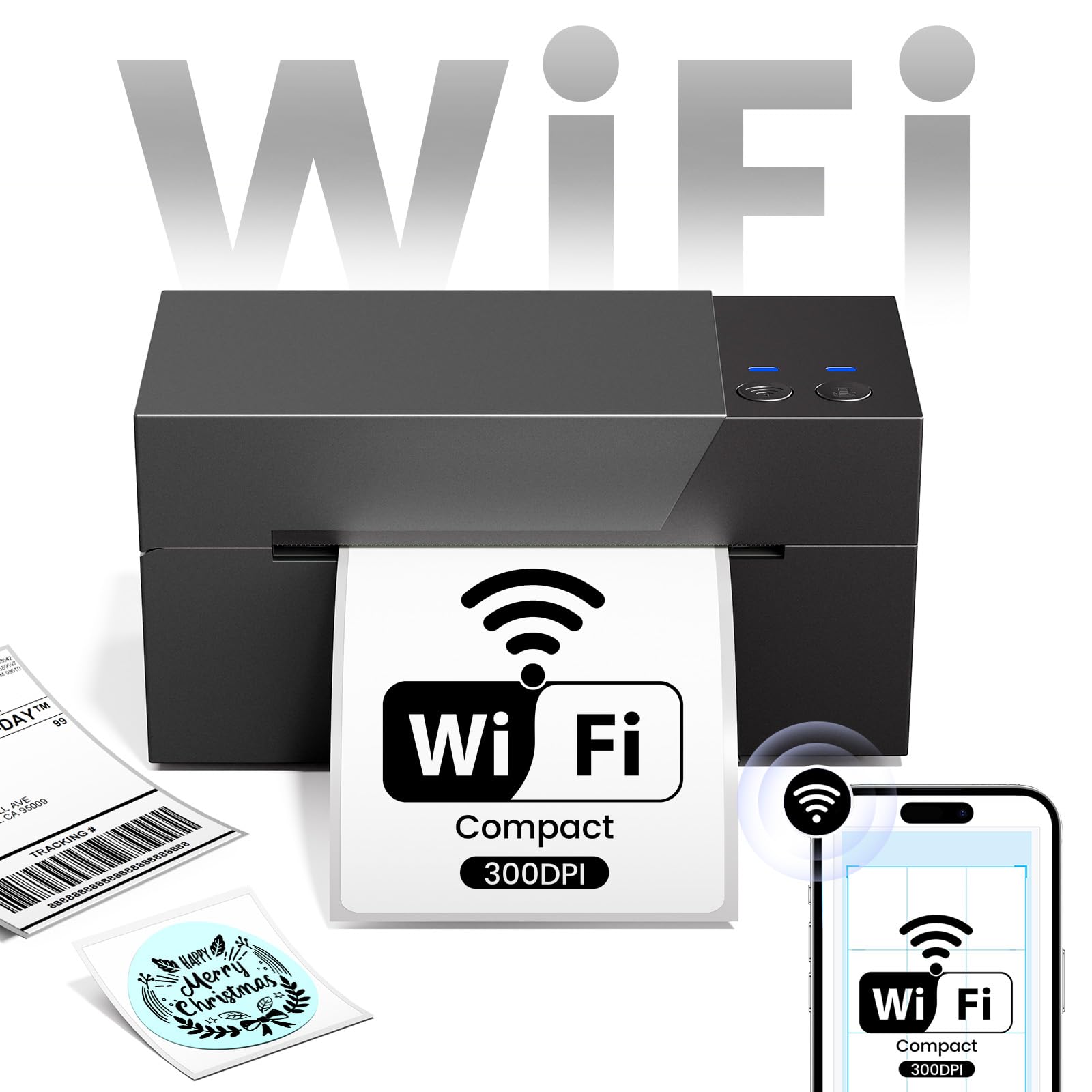
Image 1.1: ASprink PM-247-WF WiFi Thermal Label Printer.
2. ਪੈਕੇਜ ਸਮੱਗਰੀ
ਕਿਰਪਾ ਕਰਕੇ ਪੁਸ਼ਟੀ ਕਰੋ ਕਿ ਸਾਰੀਆਂ ਚੀਜ਼ਾਂ ਪੈਕੇਜ ਵਿੱਚ ਮੌਜੂਦ ਹਨ:
- ASprink PM-247-WF Thermal Label Printer
- ਪਾਵਰ ਅਡਾਪਟਰ
- USB ਕੇਬਲ
- ਤੇਜ਼ ਸ਼ੁਰੂਆਤ ਗਾਈਡ (ਇਹ ਮੈਨੂਅਲ)
- Sample Thermal Labels (may vary)
3. ਉਤਪਾਦ ਖਤਮview
The ASprink PM-247-WF printer is designed for ease of use and compact integration into your workspace. It supports label widths from 1 to 4.6 inches, accommodating various label types including 4x6 inch shipping labels.

Image 3.1: The ASprink PM-247-WF printer supports various label widths from 1 to 4.6 inches.
4. ਸੈੱਟਅੱਪ
4.1 ਭੌਤਿਕ ਕਨੈਕਸ਼ਨ
- ਪ੍ਰਿੰਟਰ ਨੂੰ ਇੱਕ ਸਥਿਰ, ਸਮਤਲ ਸਤ੍ਹਾ 'ਤੇ ਰੱਖੋ।
- ਪਾਵਰ ਅਡੈਪਟਰ ਨੂੰ ਪ੍ਰਿੰਟਰ ਨਾਲ ਅਤੇ ਫਿਰ ਪਾਵਰ ਆਊਟਲੈਟ ਨਾਲ ਕਨੈਕਟ ਕਰੋ।
- If using a USB connection, connect the USB cable from the printer to your computer.
4.2 ਲੇਬਲ ਲੋਡ ਕੀਤੇ ਜਾ ਰਹੇ ਹਨ
- ਪ੍ਰਿੰਟਰ ਦਾ ਉੱਪਰਲਾ ਕਵਰ ਖੋਲ੍ਹੋ।
- Insert the thermal labels into the label compartment, ensuring the print side is facing up.
- ਲੇਬਲ ਗਾਈਡਾਂ ਨੂੰ ਆਪਣੇ ਲੇਬਲਾਂ ਦੀ ਚੌੜਾਈ ਦੇ ਅਨੁਕੂਲ ਬਣਾਓ।
- ਉੱਪਰਲਾ ਕਵਰ ਬੰਦ ਕਰੋ। ਪ੍ਰਿੰਟਰ ਆਪਣੇ ਆਪ ਲੇਬਲ ਦੇ ਆਕਾਰ ਦਾ ਪਤਾ ਲਗਾ ਲਵੇਗਾ ਅਤੇ ਕੈਲੀਬਰੇਟ ਕਰੇਗਾ।
4.3 ਡਰਾਈਵਰ ਅਤੇ ਸਾਫਟਵੇਅਰ ਇੰਸਟਾਲੇਸ਼ਨ
For optimal performance, install the necessary drivers and software:
- For Computers (Windows, Mac, Linux, Chrome OS): Download and install the latest printer drivers from the official ASprink support webਸਾਈਟ.
- For Mobile Devices (Android, iOS): Download the "Labelife" application from your device's app store.
4.4 ਵਾਈ-ਫਾਈ ਕਨੈਕਸ਼ਨ
The PM-247-WF supports Wi-Fi connectivity for wireless printing from multiple devices.
- ਯਕੀਨੀ ਬਣਾਓ ਕਿ ਤੁਹਾਡਾ ਪ੍ਰਿੰਟਰ ਚਾਲੂ ਹੈ।
- Follow the Wi-Fi setup instructions provided in the "Labelife" app or the printer driver software to connect the printer to your local Wi-Fi network.
- ਇੱਕ ਵਾਰ ਕਨੈਕਟ ਹੋਣ ਤੋਂ ਬਾਅਦ, ਪ੍ਰਿੰਟਰ 'ਤੇ ਵਾਈ-ਫਾਈ ਇੰਡੀਕੇਟਰ ਲਾਈਟ ਸਥਿਰ ਰੂਪ ਵਿੱਚ ਪ੍ਰਕਾਸ਼ਮਾਨ ਹੋਵੇਗੀ।

Image 4.1: The ASprink PM-247-WF supports Wi-Fi connectivity with Android, iOS, iPad, Windows, Mac OS, and Chrome OS.
5. ਓਪਰੇਟਿੰਗ ਹਦਾਇਤਾਂ
5.1 Printing via Wi-Fi
The Wi-Fi feature allows printing from anywhere within your Wi-Fi range, supporting up to 5 devices simultaneously.
- Ensure your device (computer, smartphone, tablet) is connected to the same Wi-Fi network as the printer.
- ਉਹ ਦਸਤਾਵੇਜ਼ ਜਾਂ ਲੇਬਲ ਖੋਲ੍ਹੋ ਜਿਸਨੂੰ ਤੁਸੀਂ ਪ੍ਰਿੰਟ ਕਰਨਾ ਚਾਹੁੰਦੇ ਹੋ।
- Select the ASprink PM-247-WF from your list of available printers.
- Adjust print settings (e.g., label size, orientation) as needed and initiate printing.

Image 5.1: Wi-Fi connectivity enables convenient printing from various locations within your network.

Image 5.2: Wi-Fi printing allows greater flexibility compared to proximity-limited Bluetooth printing.

Image 5.3: The printer supports simultaneous connections and printing from up to 5 devices.
5.2 Printing via USB
For direct connection, you can use the USB cable.
- ਪ੍ਰਦਾਨ ਕੀਤੀ USB ਕੇਬਲ ਦੀ ਵਰਤੋਂ ਕਰਕੇ ਪ੍ਰਿੰਟਰ ਨੂੰ ਆਪਣੇ ਕੰਪਿਊਟਰ ਨਾਲ ਕਨੈਕਟ ਕਰੋ।
- Ensure the printer drivers are installed on your computer.
- Open the document or label, select the ASprink PM-247-WF printer, and print.
5.3 ਸਮਰਥਿਤ ਪਲੇਟਫਾਰਮ ਅਤੇ ਪ੍ਰਿੰਟ ਗੁਣਵੱਤਾ
The ASprink PM-247-WF is compatible with major shipping partners and marketplaces, including eBay, Amazon, Etsy, Shopify, ShipStation, USPS, UPS, FedEx, and more. It delivers a print resolution of 300DPI, ensuring clear and crisp labels. The printing speed is approximately 100mm/s, capable of producing up to 72 sheets of 4"x 6" labels per minute.

Image 5.4: The printer is widely compatible with various e-commerce and shipping platforms.
6. ਰੱਖ-ਰਖਾਅ
ਨਿਯਮਤ ਦੇਖਭਾਲ ਤੁਹਾਡੇ ਪ੍ਰਿੰਟਰ ਦੀ ਲੰਬੀ ਉਮਰ ਅਤੇ ਅਨੁਕੂਲ ਪ੍ਰਦਰਸ਼ਨ ਨੂੰ ਯਕੀਨੀ ਬਣਾਉਂਦੀ ਹੈ।
- ਪ੍ਰਿੰਟ ਹੈੱਡ ਨੂੰ ਸਾਫ਼ ਕਰਨਾ: Use a lint-free cloth lightly dampਪ੍ਰਿੰਟ ਹੈੱਡ ਨੂੰ ਹੌਲੀ-ਹੌਲੀ ਪੂੰਝਣ ਲਈ ਆਈਸੋਪ੍ਰੋਪਾਈਲ ਅਲਕੋਹਲ ਨਾਲ ਰੰਗਿਆ ਹੋਇਆ। ਸਾਫ਼ ਕਰਨ ਤੋਂ ਪਹਿਲਾਂ ਯਕੀਨੀ ਬਣਾਓ ਕਿ ਪ੍ਰਿੰਟਰ ਬੰਦ ਹੈ ਅਤੇ ਠੰਡਾ ਹੋ ਗਿਆ ਹੈ।
- ਰੋਲਰਾਂ ਦੀ ਸਫਾਈ: Periodically clean the rubber rollers with a damp cloth to prevent dust and label residue buildup.
- ਆਮ ਦੇਖਭਾਲ: Keep the printer free from dust and debris. Avoid exposing it to extreme temperatures or direct sunlight.
7. ਸਮੱਸਿਆ ਨਿਪਟਾਰਾ
If you encounter issues with your ASprink PM-247-WF printer, refer to the following common solutions:
- ਪ੍ਰਿੰਟਰ ਜਵਾਬ ਨਹੀਂ ਦੇ ਰਿਹਾ: Check power connections and ensure the printer is turned on. Verify USB or Wi-Fi connection status.
- ਮਾੜੀ ਪ੍ਰਿੰਟ ਗੁਣਵੱਤਾ: Ensure you are using high-quality thermal labels. Clean the print head as described in the Maintenance section. Verify print settings (e.g., darkness, resolution) in your software.
- ਲੇਬਲ ਸਹੀ ਢੰਗ ਨਾਲ ਭੋਜਨ ਨਹੀਂ ਦੇ ਰਹੇ: Ensure labels are loaded properly and the label guides are adjusted. Recalibrate the printer if necessary (refer to software instructions).
- ਕਨੈਕਟੀਵਿਟੀ ਮੁੱਦੇ: For Wi-Fi, ensure the printer and your device are on the same network. For USB, try a different USB port or cable. Reinstall drivers if issues persist.
For further assistance, please contact ASprink support.
8 ਨਿਰਧਾਰਨ
| ਵਿਸ਼ੇਸ਼ਤਾ | ਨਿਰਧਾਰਨ |
|---|---|
| ਮਾਡਲ ਨੰਬਰ | PM-247-WF |
| ਮਾਪ (D x W x H) | 18D x 19.3W x 11.2H ਸੈਂਟੀਮੀਟਰ |
| ਆਈਟਮ ਦਾ ਭਾਰ | 1360 ਗ੍ਰਾਮ |
| ਕਨੈਕਟੀਵਿਟੀ | USB, Wi-Fi |
| ਪ੍ਰਿੰਟਿੰਗ ਤਕਨਾਲੋਜੀ | ਥਰਮਲ |
| ਪ੍ਰਿੰਟ ਰੈਜ਼ੋਲਿਊਸ਼ਨ | 300DPI |
| ਅਧਿਕਤਮ ਪ੍ਰਿੰਟ ਸਪੀਡ | 100mm/s (approx. 72 sheets of 4"x6" labels/minute) |
| ਅਧਿਕਤਮ ਮੀਡੀਆ ਆਕਾਰ | 4 x 6 ਇੰਚ |
| ਸਮਰਥਿਤ ਲੇਬਲ ਚੌੜਾਈ | 1 - 4.6 ਇੰਚ |
| ਅਨੁਕੂਲ ਓਪਰੇਟਿੰਗ ਸਿਸਟਮ | Android, iOS, Mac, Windows, Linux, Chrome OS |
9. ਵਾਰੰਟੀ ਅਤੇ ਸਹਾਇਤਾ
ASprink provides free, lifetime technical support for your PM-247-WF printer. If you require assistance, please contact the ASprink support team via phone, online chat, or email. Support inquiries are typically answered within 24 hours.
For the most up-to-date contact information, please visit the official ASprink webਸਾਈਟ.