
1. ਜਾਣ-ਪਛਾਣ
This manual provides essential information for the safe and effective operation of your HAVIT Smart Life Series PJ211 PRO projector. Please read this manual thoroughly before using the device and retain it for future reference.
The HAVIT PJ211 PRO is a compact smart projector designed for home entertainment, gaming, and presentations. It features a native HD resolution of 1280x720, supporting up to 4K input, and integrates Android TV 9.0 for direct access to streaming services.
2. ਪੈਕੇਜ ਸਮੱਗਰੀ
ਪੈਕਿੰਗ ਖੋਲ੍ਹਣ ਵੇਲੇ, ਕਿਰਪਾ ਕਰਕੇ ਯਕੀਨੀ ਬਣਾਓ ਕਿ ਸਾਰੀਆਂ ਚੀਜ਼ਾਂ ਮੌਜੂਦ ਹਨ ਅਤੇ ਚੰਗੀ ਹਾਲਤ ਵਿੱਚ ਹਨ:
- HAVIT Smart Life Series PJ211 PRO Projector
- ਪਾਵਰ ਕੇਬਲ
- ਰਿਮੋਟ ਕੰਟਰੋਲ
- ਉਪਭੋਗਤਾ ਮੈਨੁਅਲ (ਇਹ ਦਸਤਾਵੇਜ਼)
3. ਉਤਪਾਦ ਖਤਮview
ਪ੍ਰੋਜੈਕਟਰ ਦੇ ਭੌਤਿਕ ਹਿੱਸਿਆਂ ਅਤੇ ਕਨੈਕਸ਼ਨ ਪੋਰਟਾਂ ਤੋਂ ਜਾਣੂ ਹੋਵੋ।
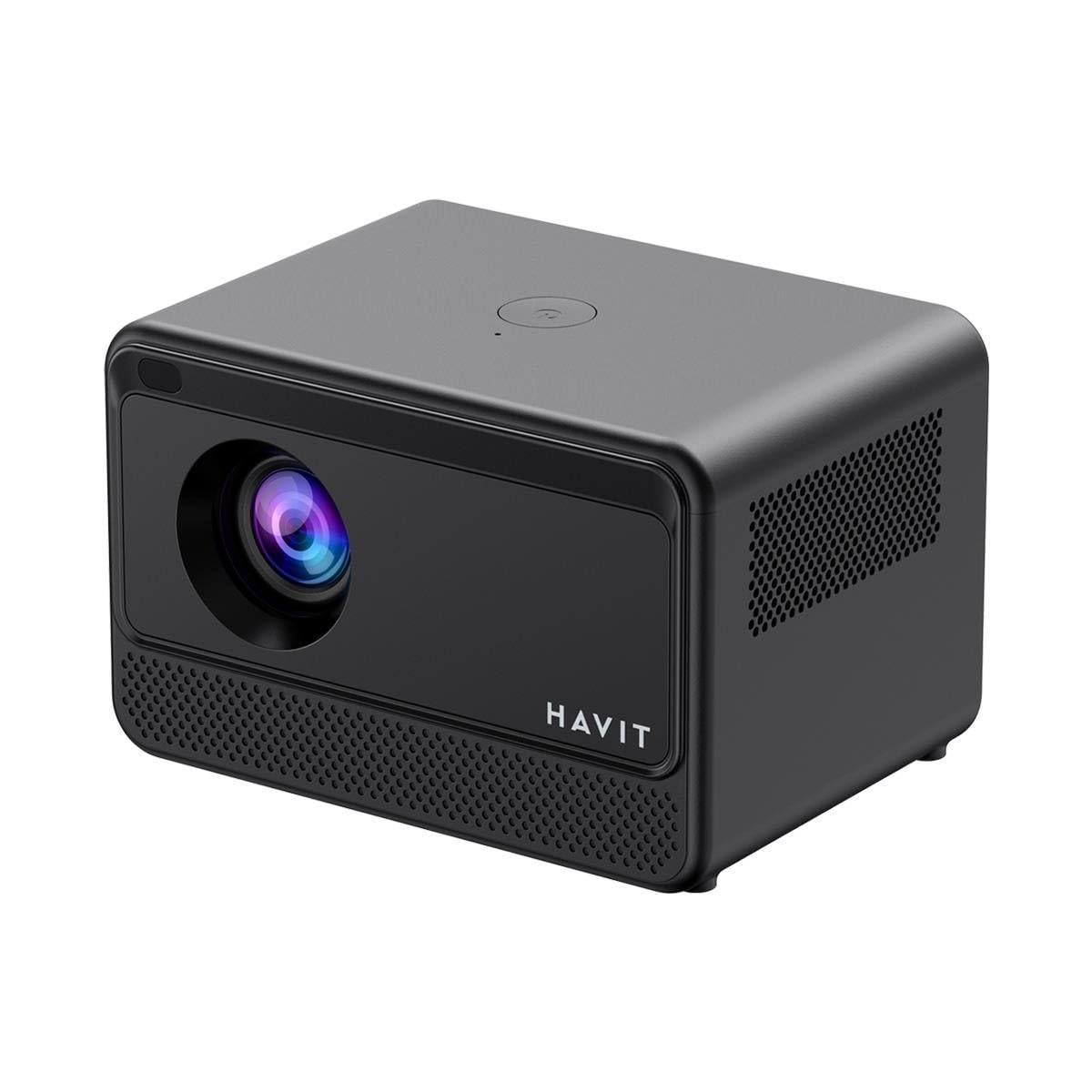
Image: Rear and side view of the HAVIT PJ211 PRO projector, highlighting the power input, HDMI, USB, and audio ports.

ਚਿੱਤਰ: ਸਾਹਮਣੇ view of the HAVIT PJ211 PRO projector, showing the projection lens and front grille.
ਪੋਰਟ ਅਤੇ ਕੰਟਰੋਲ:
- ਪਾਵਰ ਇੰਪੁੱਟ: ਪਾਵਰ ਅਡੈਪਟਰ ਨਾਲ ਕਨੈਕਟ ਕਰਦਾ ਹੈ।
- HDMI ਪੋਰਟ: ਬਾਹਰੀ ਵੀਡੀਓ ਸਰੋਤਾਂ ਜਿਵੇਂ ਕਿ ਲੈਪਟਾਪ, ਗੇਮਿੰਗ ਕੰਸੋਲ, ਜਾਂ ਬਲੂ-ਰੇ ਪਲੇਅਰਾਂ ਨੂੰ ਜੋੜਨ ਲਈ।
- USB ਪੋਰਟ: ਮੀਡੀਆ ਚਲਾਉਣ ਲਈ USB ਸਟੋਰੇਜ ਡਿਵਾਈਸਾਂ ਨੂੰ ਕਨੈਕਟ ਕਰਨ ਲਈ files or connect peripherals.
- AV ਇੰਪੁੱਟ: AV ਕੇਬਲ ਦੀ ਵਰਤੋਂ ਕਰਕੇ ਪੁਰਾਣੇ ਡਿਵਾਈਸਾਂ ਨੂੰ ਕਨੈਕਟ ਕਰਨ ਲਈ।
- 3.5mm ਆਡੀਓ ਜੈਕ: ਬਾਹਰੀ ਸਪੀਕਰਾਂ ਜਾਂ ਹੈੱਡਫੋਨਾਂ ਨੂੰ ਜੋੜਨ ਲਈ।
- ਪਾਵਰ ਬਟਨ: Located on the top panel for turning the projector on/off.
4. ਸੈੱਟਅੱਪ
4.1 ਪਲੇਸਮੈਂਟ
Position the projector on a stable, flat surface. Ensure there is adequate ventilation around the device. The optimal projection distance ranges from 1 to 4 meters, yielding a screen size between 32 and 150 inches.
4.2 ਪਾਵਰ ਕੁਨੈਕਸ਼ਨ
- ਪਾਵਰ ਕੇਬਲ ਨੂੰ ਪ੍ਰੋਜੈਕਟਰ ਦੇ ਪਾਵਰ ਇਨਪੁੱਟ ਪੋਰਟ ਨਾਲ ਕਨੈਕਟ ਕਰੋ।
- ਪਾਵਰ ਕੇਬਲ ਦੇ ਦੂਜੇ ਸਿਰੇ ਨੂੰ ਇੱਕ ਢੁਕਵੇਂ ਬਿਜਲੀ ਦੇ ਆਊਟਲੈਟ ਵਿੱਚ ਲਗਾਓ।
4.3 ਸ਼ੁਰੂਆਤੀ ਪਾਵਰ ਚਾਲੂ
Press the power button on the projector or the remote control to turn on the device. The projector will boot up and display the Android TV interface.
4.4 ਫੋਕਸ ਅਤੇ ਕੀਸਟੋਨ ਸੁਧਾਰ
The PJ211 PRO features semi-auto focus and semi-auto keystone correction. The projector will attempt to adjust these settings automatically upon startup or movement. Fine-tuning can be done via the on-screen menu if needed.
4.5 ਨੈੱਟਵਰਕ ਕੁਨੈਕਸ਼ਨ
To access online content, connect the projector to a Wi-Fi network.

Image: Illustration showing the projector's support for both 2.4G and 5G dual-band Wi-Fi connections, indicating improved transmission rates and smoother online viewing with 5G.
- Navigate to the 'Settings' menu on the Android TV interface.
- 'ਨੈੱਟਵਰਕ ਅਤੇ ਇੰਟਰਨੈੱਟ' ਚੁਣੋ।
- ਸੂਚੀ ਵਿੱਚੋਂ ਆਪਣਾ ਲੋੜੀਂਦਾ Wi-Fi ਨੈੱਟਵਰਕ ਚੁਣੋ।
- Enter the password if prompted and confirm the connection. The projector supports 2.4G and 5G dual-band Wi-Fi for stable connectivity.
5. ਓਪਰੇਟਿੰਗ ਹਦਾਇਤਾਂ
5.1 Android TV 9.0 Interface
The projector runs on Android TV 9.0, providing access to various applications and streaming services. Use the remote control to navigate the interface, select apps, and adjust settings.
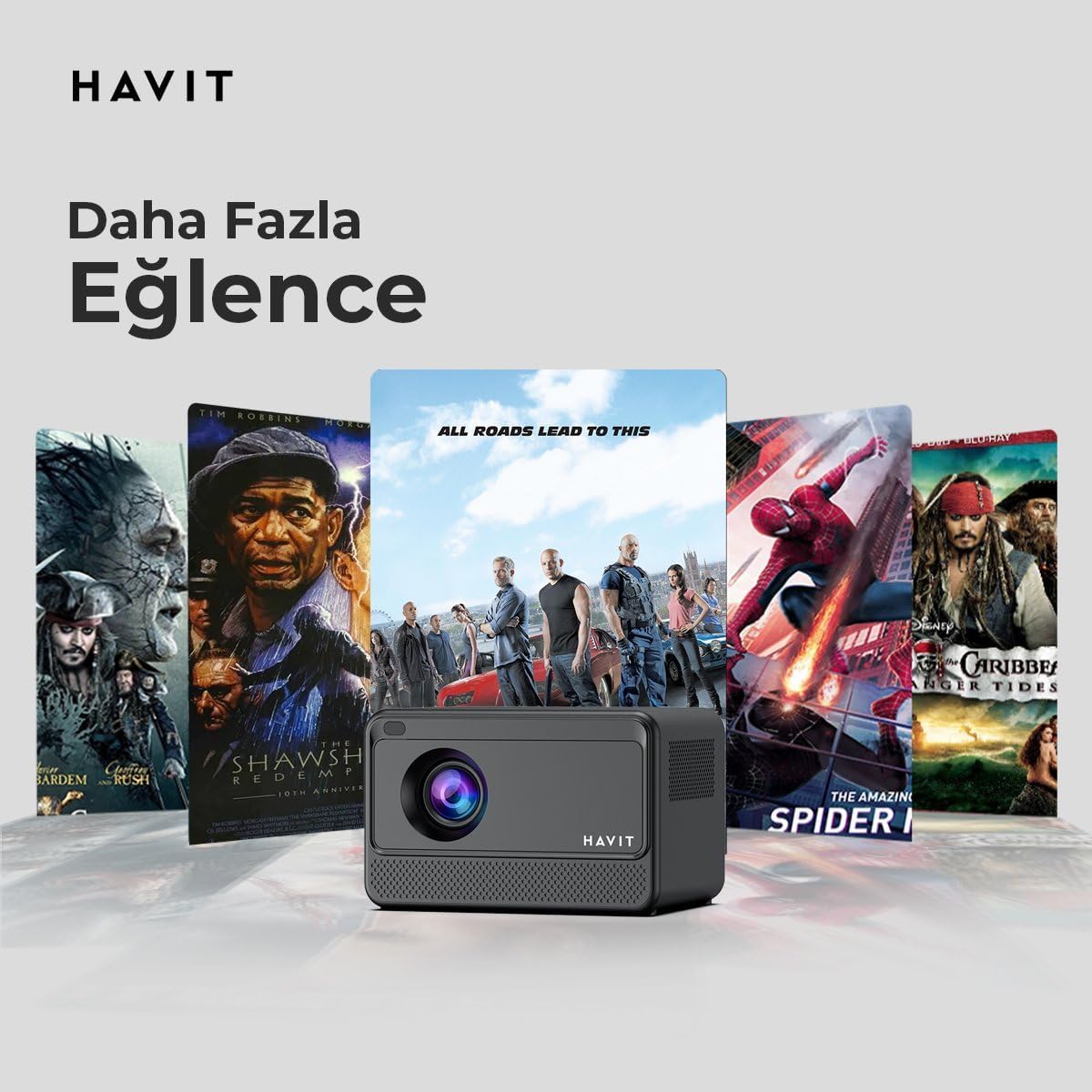
Image: The HAVIT PJ211 PRO projector displaying a selection of popular streaming service icons, illustrating its 'More Entertainment' capability through Android TV.
5.2 ਬਾਹਰੀ ਉਪਕਰਨਾਂ ਨੂੰ ਕਨੈਕਟ ਕਰਨਾ
You can connect various external devices to the projector:
- HDMI: Connect a device (e.g., laptop, game console) using an HDMI cable. Select the HDMI input source from the projector's input menu.
- USB: Insert a USB drive into a USB port. The projector's media player will typically detect the drive, allowing you to browse and play supported media files.
- ਏਵੀ: Use an AV cable to connect compatible devices. Select the AV input source.
- ਆਡੀਓ ਆਉਟ (3.5mm ਜੈਕ): Connect external speakers or headphones for enhanced audio. The projector has a built-in 3W speaker for standard audio output.
6. ਰੱਖ-ਰਖਾਅ
6.1 ਸਫਾਈ
- ਲੈਂਸ: ਆਪਟੀਕਲ ਲੈਂਸਾਂ ਲਈ ਖਾਸ ਤੌਰ 'ਤੇ ਤਿਆਰ ਕੀਤੇ ਗਏ ਨਰਮ, ਲਿੰਟ-ਮੁਕਤ ਕੱਪੜੇ ਦੀ ਵਰਤੋਂ ਕਰੋ। ਘਸਾਉਣ ਵਾਲੇ ਕਲੀਨਰ ਜਾਂ ਕੱਪੜੇ ਦੀ ਵਰਤੋਂ ਨਾ ਕਰੋ।
- ਬਾਹਰੀ: ਪ੍ਰੋਜੈਕਟਰ ਦੇ ਬਾਹਰਲੇ ਹਿੱਸੇ ਨੂੰ ਨਰਮ, ਸੁੱਕੇ ਕੱਪੜੇ ਨਾਲ ਪੂੰਝੋ। ਡਿਵਾਈਸ 'ਤੇ ਸਿੱਧੇ ਤਰਲ ਕਲੀਨਰ ਦੀ ਵਰਤੋਂ ਕਰਨ ਤੋਂ ਬਚੋ।
- ਹਵਾਦਾਰੀ: ਇਹ ਯਕੀਨੀ ਬਣਾਓ ਕਿ ਹਵਾਦਾਰੀ ਦੇ ਖੁੱਲਣ ਧੂੜ ਅਤੇ ਰੁਕਾਵਟਾਂ ਤੋਂ ਸਾਫ਼ ਹਨ ਤਾਂ ਜੋ ਜ਼ਿਆਦਾ ਗਰਮ ਹੋਣ ਤੋਂ ਬਚਿਆ ਜਾ ਸਕੇ।
6.2 ਐੱਲamp ਜੀਵਨ
LED ਐੱਲamp in your PJ211 PRO projector has an estimated life of 30,000 hours, providing long-term reliability under normal usage conditions.
7. ਸਮੱਸਿਆ ਨਿਪਟਾਰਾ
ਜੇਕਰ ਤੁਹਾਨੂੰ ਆਪਣੇ ਪ੍ਰੋਜੈਕਟਰ ਨਾਲ ਸਮੱਸਿਆਵਾਂ ਆਉਂਦੀਆਂ ਹਨ, ਤਾਂ ਹੇਠ ਲਿਖੀਆਂ ਆਮ ਸਮੱਸਿਆਵਾਂ ਅਤੇ ਹੱਲ ਵੇਖੋ:
| ਸਮੱਸਿਆ | ਸੰਭਵ ਕਾਰਨ | ਹੱਲ |
|---|---|---|
| ਕੋਈ ਚਿੱਤਰ ਪ੍ਰਦਰਸ਼ਿਤ ਨਹੀਂ ਕੀਤਾ ਗਿਆ | ਪਾਵਰ ਕੇਬਲ ਡਿਸਕਨੈਕਟ ਹੋ ਗਈ, ਗਲਤ ਇਨਪੁੱਟ ਸਰੋਤ, ਲੈਂਸ ਕੈਪ ਚਾਲੂ ਹੈ। | Check power connection, select correct input source (HDMI, USB, AV), remove lens cap. |
| ਚਿੱਤਰ ਧੁੰਦਲਾ ਹੈ | ਫੋਕਸ ਤੋਂ ਬਾਹਰ, ਗਲਤ ਪ੍ਰੋਜੈਕਸ਼ਨ ਦੂਰੀ। | Adjust focus manually via settings, ensure projector is within 1-4 meters of screen. |
| ਕੋਈ ਆਵਾਜ਼ ਨਹੀਂ | Volume too low, external speakers not connected properly, audio settings. | Increase volume, check external speaker connection, verify audio output settings. |
| Wi-Fi ਕਨੈਕਸ਼ਨ ਸਮੱਸਿਆਵਾਂ | ਗਲਤ ਪਾਸਵਰਡ, ਰਾਊਟਰ ਦੀਆਂ ਸਮੱਸਿਆਵਾਂ, ਸਿਗਨਲ ਵਿੱਚ ਦਖਲਅੰਦਾਜ਼ੀ। | Re-enter Wi-Fi password, restart router, ensure projector is within Wi-Fi range. |
8 ਨਿਰਧਾਰਨ
Detailed technical specifications for the HAVIT Smart Life Series PJ211 PRO projector:

Image: A visual representation of the HAVIT PJ211 PRO projector's specifications, including system, resolution, projection distance, brightness, and connectivity.
- ਡਿਸਪਲੇ ਤਕਨਾਲੋਜੀ: LCD
- ਮੂਲ ਰੈਜ਼ੋਲੂਸ਼ਨ: 1280 x 720 (HD)
- ਸਮਰਥਿਤ ਰੈਜ਼ੋਲੂਸ਼ਨ: 3840 x 2160 (4K) ਤੱਕ
- ਚਮਕ: Over 5000 lumens (180+ ANSI lumens)
- ਕੰਟ੍ਰਾਸਟ ਅਨੁਪਾਤ: 1500:1
- ਪੱਖ ਅਨੁਪਾਤ: 16:9 / 4:3
- ਪ੍ਰੋਜੈਕਸ਼ਨ ਦੂਰੀ: 1 - 4 ਮੀਟਰ
- ਸਕ੍ਰੀਨ ਆਕਾਰ ਰੇਂਜ: 32 - 150 ਇੰਚ
- ਫੋਕਸ ਐਡਜਸਟਮੈਂਟ: Semi-Auto Focus
- ਕੀਸਟੋਨ ਸੁਧਾਰ: Semi-Auto Keystone
- ਬਿਲਟ-ਇਨ ਸਪੀਕਰ: 3W
- ਆਪਰੇਟਿੰਗ ਸਿਸਟਮ: Android TV 9.0
- ਵਾਇਰਲੈਸ ਕਨੈਕਟੀਵਿਟੀ: ਵਾਈ-ਫਾਈ (2.4G/5G ਡਿਊਲ-ਬੈਂਡ)
- ਇਨਪੁਟ ਪੋਰਟਸ: HDMI, USB, AV, 3.5mm audio jack
- Lamp ਕਿਸਮ: LED
- Lamp ਜੀਵਨ: 30,000 ਘੰਟੇ
- ਬਿਜਲੀ ਦੀ ਖਪਤ: 65 ਡਬਲਯੂ
- ਆਈਟਮ ਦਾ ਭਾਰ: 2.3 ਕਿਲੋਗ੍ਰਾਮ
- ਰੰਗ: ਕਾਲਾ
9. ਵਾਰੰਟੀ ਅਤੇ ਸਹਾਇਤਾ
9.1 ਵਾਰੰਟੀ ਜਾਣਕਾਰੀ
The HAVIT Smart Life Series PJ211 PRO projector comes with a 1-ਸਾਲ ਦੀ ਵਾਰੰਟੀ ਖਰੀਦ ਦੀ ਮਿਤੀ ਤੋਂ। ਇਹ ਵਾਰੰਟੀ ਆਮ ਵਰਤੋਂ ਅਧੀਨ ਨਿਰਮਾਣ ਨੁਕਸ ਅਤੇ ਖਰਾਬੀਆਂ ਨੂੰ ਕਵਰ ਕਰਦੀ ਹੈ। ਕਿਰਪਾ ਕਰਕੇ ਵਾਰੰਟੀ ਦਾਅਵਿਆਂ ਲਈ ਖਰੀਦ ਦਾ ਸਬੂਤ ਆਪਣੇ ਕੋਲ ਰੱਖੋ।
9.2 ਗਾਹਕ ਸਹਾਇਤਾ
For technical assistance, troubleshooting beyond this manual, or warranty inquiries, please contact HAVIT customer support through their official website or the retailer where the product was purchased. Please have your model number (PJ211 PRO) and purchase details ready when contacting support.