
1. ਜਾਣ-ਪਛਾਣ
The Redragon GS821 Soundbar is a versatile audio system designed to enhance your entertainment experience. It features dual powerful drivers and dual diaphragms for high-fidelity stereo sound, rich bass, and clear dialogue. With multiple connectivity options including HDMI ARC, Optical, Bluetooth 5.3, AUX, and USB, it integrates seamlessly with various devices such as TVs, PCs, projectors, and smartphones. The soundbar also offers three specialized equalizer modes to optimize audio for movies, music, and dialogue.
This manual provides detailed instructions for setting up, operating, and maintaining your Redragon GS821 Soundbar. Please read it thoroughly before use to ensure proper functionality and to maximize your audio experience.
2. ਪੈਕੇਜ ਸਮੱਗਰੀ
ਪੁਸ਼ਟੀ ਕਰੋ ਕਿ ਹੇਠਾਂ ਸੂਚੀਬੱਧ ਸਾਰੀਆਂ ਚੀਜ਼ਾਂ ਤੁਹਾਡੇ ਪੈਕੇਜ ਵਿੱਚ ਸ਼ਾਮਲ ਹਨ:
- Redragon GS821 Soundbar
- ਰਿਮੋਟ ਕੰਟਰੋਲ
- ਪਾਵਰ ਅਡਾਪਟਰ
- 3.5mm ਆਡੀਓ ਕੇਬਲ
- Wall Mounting Kit (screws and anchors)
- ਉਪਭੋਗਤਾ ਮੈਨੁਅਲ (ਇਹ ਦਸਤਾਵੇਜ਼)
3. ਉਤਪਾਦ ਖਤਮview
3.1 ਅੱਗੇ ਅਤੇ ਪਾਸੇ View
The soundbar features a sleek, compact design suitable for various placements.

The Redragon GS821 Soundbar, a compact audio device designed for TV and PC use.
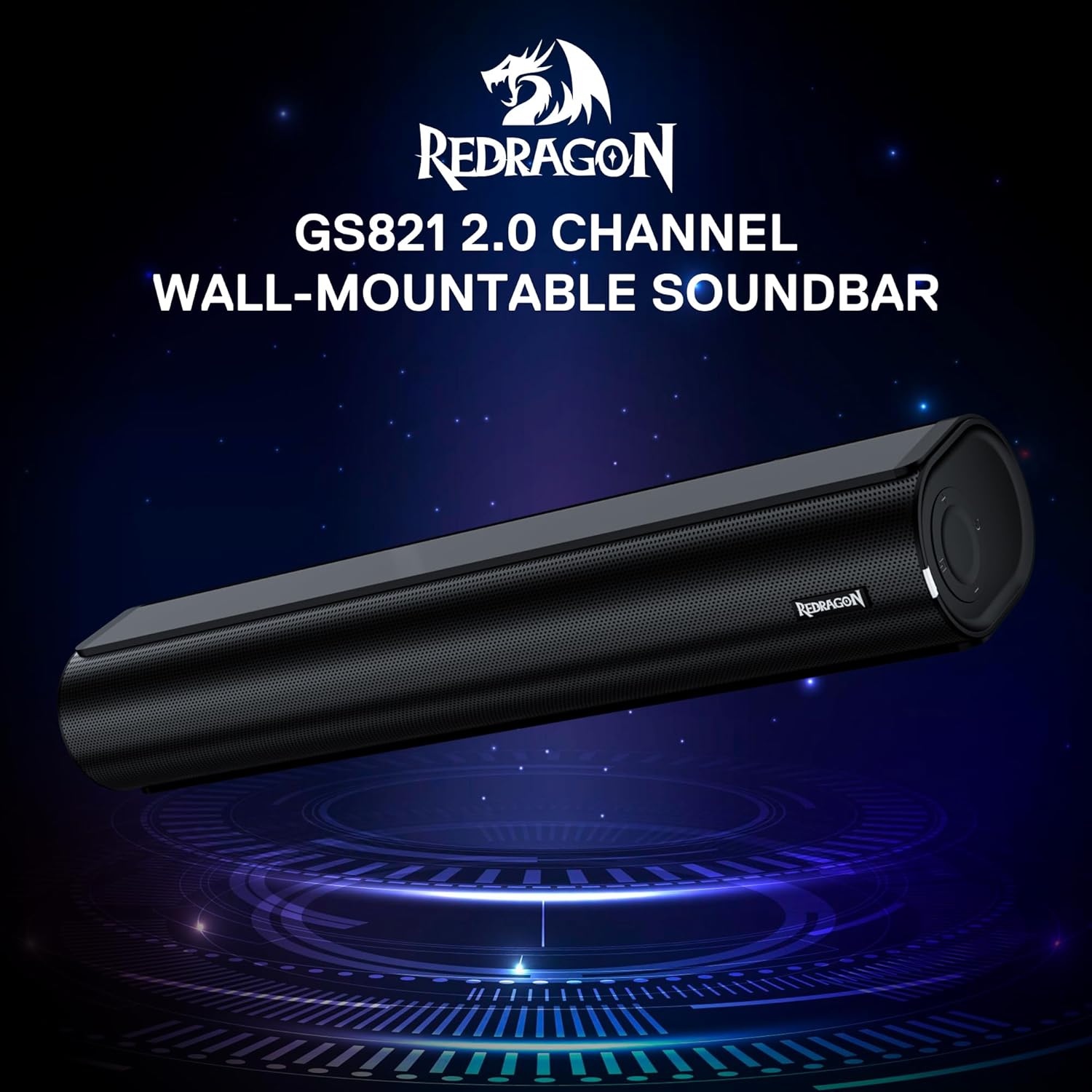
The Redragon GS821 Soundbar showing its compact dimensions: 15.9 inches wide, 4 inches deep, and 2.8 inches high.

ਇੱਕ ਧਮਾਕਾ ਹੋਇਆ view illustrating the dual 45mm sound units and internal components of the Redragon GS821 Soundbar, designed for Hi-Fi stereo sound.
3.2 ਪਿਛਲਾ ਪੈਨਲ ਅਤੇ ਕਨੈਕਸ਼ਨ
The rear panel provides various ports for connecting to your devices.
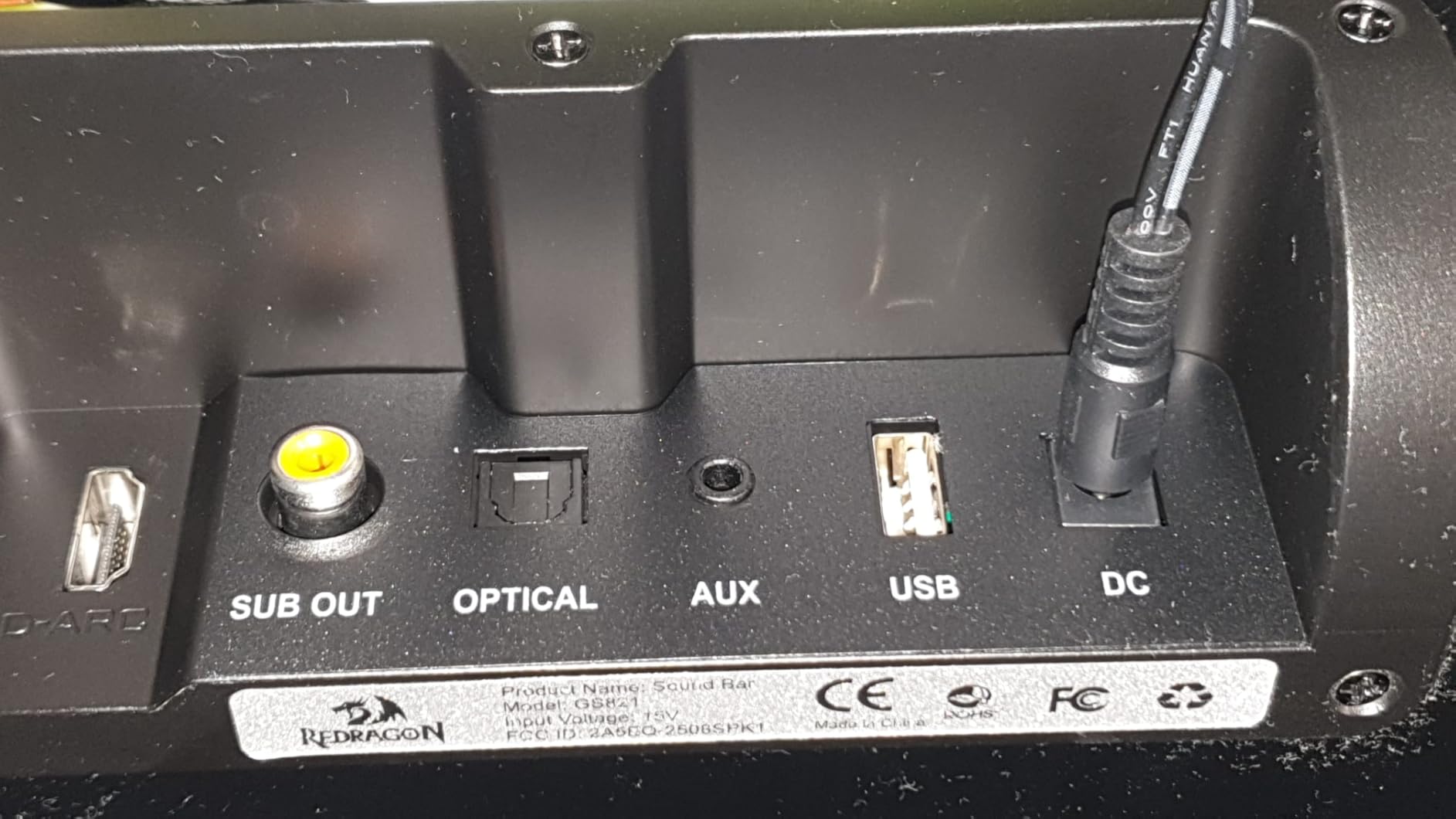
The rear panel of the Redragon GS821 Soundbar, featuring various input ports including HDMI ARC, Optical, AUX, and USB for versatile connectivity.
3.3 Controls and Remote
The soundbar can be controlled via its side buttons or the included remote control.

The included remote control for the Redragon GS821 Soundbar, alongside the manual control buttons located on the side of the soundbar for easy access.
4. ਸੈੱਟਅੱਪ
4.1 ਪਲੇਸਮੈਂਟ
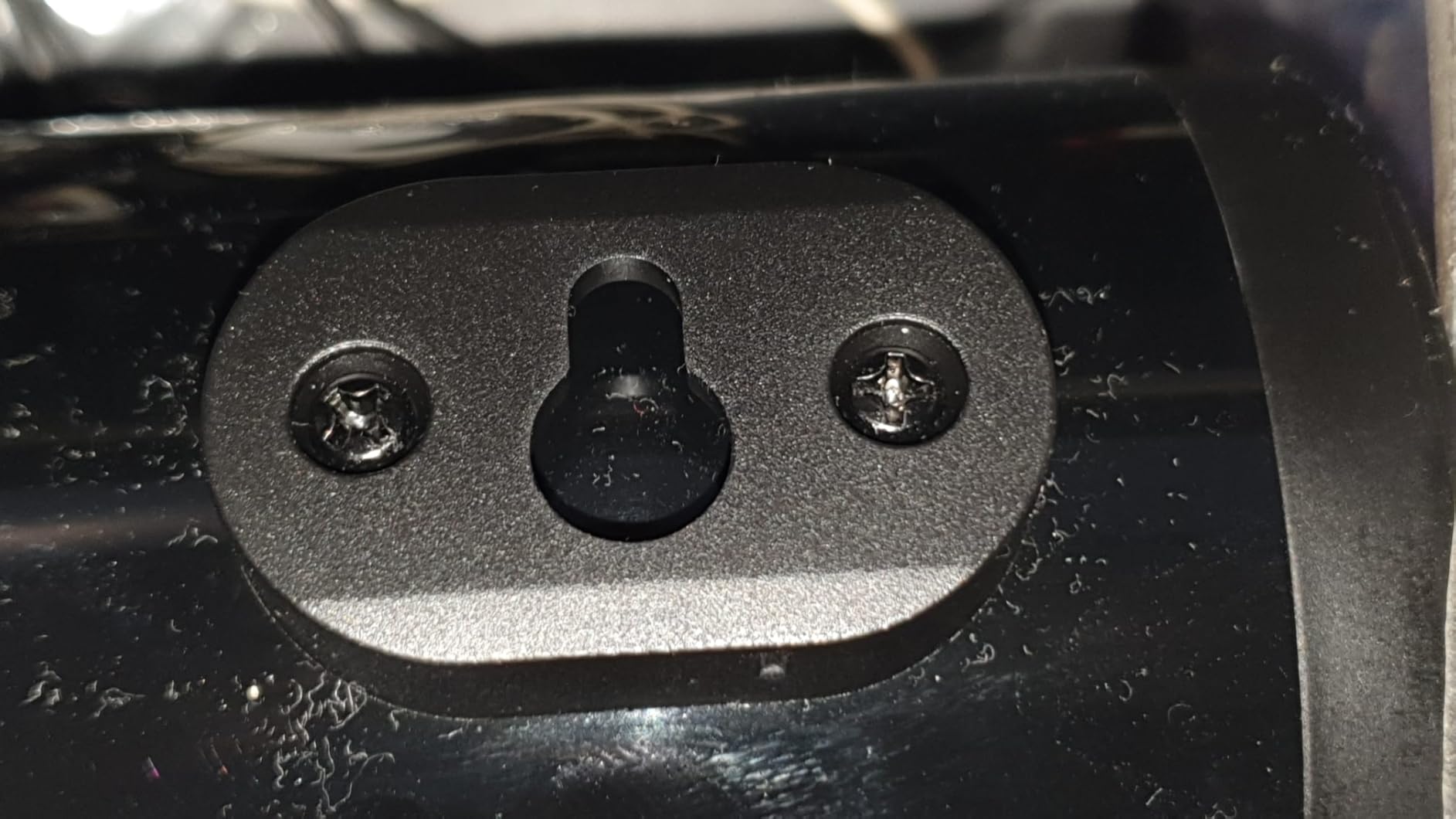
The Redragon GS821 Soundbar can be placed on a tabletop or mounted on a wall.
- ਟੇਬਲਟੌਪ ਪਲੇਸਮੈਂਟ: Position the soundbar on a flat, stable surface directly in front of your TV or monitor. Ensure it does not block any sensors or the screen.
- ਕੰਧ ਮਾਊਂਟਿੰਗ: Use the provided wall mounting kit. Mark the desired positions on the wall, drill pilot holes, insert anchors, and secure the soundbar using the screws. Ensure the soundbar is level and securely fastened.
4.2 ਪਾਵਰ ਕੁਨੈਕਸ਼ਨ
- ਪਾਵਰ ਅਡੈਪਟਰ ਨੂੰ ਸਾਊਂਡਬਾਰ 'ਤੇ DC IN ਪੋਰਟ ਨਾਲ ਕਨੈਕਟ ਕਰੋ।
- ਪਾਵਰ ਅਡੈਪਟਰ ਨੂੰ ਕੰਧ ਦੇ ਆਊਟਲੈੱਟ ਵਿੱਚ ਲਗਾਓ।
4.3 ਆਡੀਓ ਕਨੈਕਸ਼ਨ
Choose one of the following methods to connect the soundbar to your audio source:
- HDMI ਏਆਰਸੀ: Connect an HDMI cable from the soundbar's HDMI ARC port to your TV's HDMI ARC port. Ensure your TV's HDMI ARC function is enabled in its settings.
- ਆਪਟੀਕਲ: Connect an optical cable from the soundbar's OPTICAL port to your TV's or device's optical output port.
- AUX (3.5mm): Use the provided 3.5mm audio cable to connect the soundbar's AUX port to the headphone jack or audio output of your device.
- USB: ਆਡੀਓ ਵਾਲੀ USB ਫਲੈਸ਼ ਡਰਾਈਵ ਪਾਓ files into the USB port. The soundbar will automatically detect and play compatible audio files.
- ਬਲੂਟੁੱਥ: For wireless connection, refer to section 5.3 Bluetooth Pairing.
5. ਓਪਰੇਟਿੰਗ ਹਦਾਇਤਾਂ
5.1 ਪਾਵਰ ਚਾਲੂ/ਬੰਦ
- ਯੂਨਿਟ ਨੂੰ ਚਾਲੂ ਜਾਂ ਬੰਦ ਕਰਨ ਲਈ ਸਾਊਂਡਬਾਰ ਜਾਂ ਰਿਮੋਟ ਕੰਟਰੋਲ 'ਤੇ ਪਾਵਰ ਬਟਨ ਦਬਾਓ।
5.2 ਇਨਪੁਟ ਚੋਣ
Cycle through input modes using the 'M' button on the soundbar or the 'Input' button on the remote control. The LED indicator will change color to show the active input:
A guide to the LED indicator colors on the Redragon GS821 Soundbar, showing which color corresponds to each input mode (Standby, BT, ARC, Optical, AUX, USB).
- ਲਾਲ: ਨਾਲ ਖਲੋਣਾ
- ਨੀਲਾ: ਬਲੂਟੁੱਥ (BT)
- ਸਯਾਨ: HDMI ARC
- ਚਿੱਟਾ: ਆਪਟੀਕਲ
- ਪੀਲਾ: AUX
- ਜਾਮਨੀ: USB
5.3 ਬਲੂਟੁੱਥ ਪੇਅਰਿੰਗ
ਬਲੂਟੁੱਥ ਰਾਹੀਂ ਆਪਣੀ ਡਿਵਾਈਸ ਨੂੰ ਕਨੈਕਟ ਕਰਨ ਲਈ:

A visual representation of the advanced Bluetooth 5.3 technology integrated into the Redragon GS821 Soundbar, ensuring ultra-low latency for perfect audio synchronization.
- Switch the soundbar to Bluetooth mode (Blue LED). The soundbar will enter pairing mode automatically.
- ਆਪਣੇ ਡਿਵਾਈਸ (ਸਮਾਰਟਫੋਨ, ਟੈਬਲੇਟ, ਆਦਿ) 'ਤੇ, ਬਲੂਟੁੱਥ ਨੂੰ ਸਮਰੱਥ ਬਣਾਓ ਅਤੇ ਉਪਲਬਧ ਡਿਵਾਈਸਾਂ ਦੀ ਖੋਜ ਕਰੋ।
- Select "Redragon GS821" from the list to pair.
- ਇੱਕ ਵਾਰ ਪੇਅਰ ਕੀਤੇ ਜਾਣ 'ਤੇ, LED ਇੰਡੀਕੇਟਰ ਫਲੈਸ਼ ਕਰਨਾ ਬੰਦ ਕਰ ਦੇਵੇਗਾ ਅਤੇ ਠੋਸ ਨੀਲਾ ਰਹੇਗਾ।
5.4 EQ ਮੋਡਸ
The soundbar offers three specialized EQ modes to optimize your listening experience. Press the EQ button on the remote control to cycle through them:

An illustration of the three specialized sound modes available on the Redragon GS821 Soundbar: Music, Movie, and Dialogue, each optimized for different audio experiences.
- ਮੂਵੀ ਮੋਡ: Enhances surround sound effects for cinematic immersion.
- ਸੰਗੀਤ ਮੋਡ: Boosts bass and high frequencies for a rich, full-bodied audio experience.
- ਡਾਇਲਾਗ ਮੋਡ: Isolates and clarifies human voices, ideal for news, podcasts, or talk shows.
5.5 ਵਾਲੀਅਮ ਕੰਟਰੋਲ
Adjust the volume using the volume buttons on the soundbar or the remote control.
- ਦਬਾਓ + ਵਾਲੀਅਮ ਵਧਾਉਣ ਲਈ.
- ਦਬਾਓ - ਵਾਲੀਅਮ ਘਟਾਉਣ ਲਈ.
- ਦਬਾਓ ਚੁੱਪ button on the remote to mute/unmute the sound.
6. ਰੱਖ-ਰਖਾਅ
- ਸਫਾਈ: ਸਾਊਂਡਬਾਰ ਦੀ ਸਤ੍ਹਾ ਨੂੰ ਸਾਫ਼ ਕਰਨ ਲਈ ਨਰਮ, ਸੁੱਕੇ ਕੱਪੜੇ ਦੀ ਵਰਤੋਂ ਕਰੋ। ਤਰਲ ਕਲੀਨਰ ਜਾਂ ਘਸਾਉਣ ਵਾਲੇ ਪਦਾਰਥਾਂ ਦੀ ਵਰਤੋਂ ਨਾ ਕਰੋ।
- ਸਟੋਰੇਜ: ਜਦੋਂ ਲੰਬੇ ਸਮੇਂ ਲਈ ਵਰਤੋਂ ਵਿੱਚ ਨਾ ਹੋਵੇ, ਤਾਂ ਸਾਊਂਡਬਾਰ ਨੂੰ ਸਿੱਧੀ ਧੁੱਪ ਅਤੇ ਬਹੁਤ ਜ਼ਿਆਦਾ ਤਾਪਮਾਨਾਂ ਤੋਂ ਦੂਰ ਇੱਕ ਠੰਢੀ, ਸੁੱਕੀ ਜਗ੍ਹਾ 'ਤੇ ਸਟੋਰ ਕਰੋ।
- ਰੁਕਾਵਟਾਂ ਤੋਂ ਬਚੋ: Ensure the speaker grilles are not obstructed to maintain optimal sound quality.
7. ਸਮੱਸਿਆ ਨਿਪਟਾਰਾ
| ਸਮੱਸਿਆ | ਹੱਲ |
|---|---|
| ਕੋਈ ਸ਼ਕਤੀ ਨਹੀਂ | ਯਕੀਨੀ ਬਣਾਓ ਕਿ ਪਾਵਰ ਅਡੈਪਟਰ ਸਾਊਂਡਬਾਰ ਅਤੇ ਕੰਮ ਕਰਨ ਵਾਲੇ ਪਾਵਰ ਆਊਟਲੈਟ ਨਾਲ ਸੁਰੱਖਿਅਤ ਢੰਗ ਨਾਲ ਜੁੜਿਆ ਹੋਇਆ ਹੈ। |
| ਕੋਈ ਆਵਾਜ਼ ਨਹੀਂ | Check the input source selection. Ensure the volume is not muted and is turned up. Verify audio cables are correctly connected. If using HDMI ARC, ensure the TV's ARC function is enabled. |
| ਬਲੂਟੁੱਥ ਪੇਅਰਿੰਗ ਸਮੱਸਿਆਵਾਂ | Ensure the soundbar is in Bluetooth mode. Turn off and on Bluetooth on your device. Move your device closer to the soundbar. Forget the device from your Bluetooth list and try pairing again. |
| ਰਿਮੋਟ ਕੰਟਰੋਲ ਕੰਮ ਨਹੀਂ ਕਰ ਰਿਹਾ | Check the battery in the remote control and replace if necessary. Ensure there are no obstructions between the remote and the soundbar. |
| ਮਾੜੀ ਆਵਾਜ਼ ਦੀ ਗੁਣਵੱਤਾ / ਵਿਗਾੜ | Adjust the volume level. Try different EQ modes. Ensure the audio source is of good quality. Check cable connections for any damage. |
8 ਨਿਰਧਾਰਨ
| ਵਿਸ਼ੇਸ਼ਤਾ | ਮੁੱਲ |
|---|---|
| ਬ੍ਰਾਂਡ | ਰੈਡਰੈਗਨ |
| ਮਾਡਲ ਨੰਬਰ | GS821 |
| ਸਪੀਕਰ ਅਧਿਕਤਮ ਆਉਟਪੁੱਟ ਪਾਵਰ | 20 ਵਾਟਸ |
| ਬਾਰੰਬਾਰਤਾ ਜਵਾਬ | 20000 Hz |
| ਕਨੈਕਟੀਵਿਟੀ ਤਕਨਾਲੋਜੀ | Bluetooth (BT 5.3), HDMI ARC, Optical, USB, 3.5mm AUX |
| ਆਡੀਓ ਆਉਟਪੁੱਟ .ੰਗ | ਸਟੀਰੀਓ |
| ਮਾਊਂਟਿੰਗ ਦੀ ਕਿਸਮ | Tabletop Mount, Wall Mountable |
| ਰੰਗ | ਕਾਲਾ |
| ਆਈਟਮ ਦੇ ਮਾਪ (D x W x H) | 2.8"D x 15.9"W x 4"H |
| ਸਿਗਨਲ-ਟੂ-ਸ਼ੋਰ ਰੇਸ਼ੋ | 80 dB |
| ਅਨੁਕੂਲ ਜੰਤਰ | Desktop, Laptop, Projector, Tablet, Television |
9. ਵਾਰੰਟੀ ਜਾਣਕਾਰੀ
The Redragon GS821 Soundbar comes with a 1-ਸਾਲ ਦੀ ਵਾਰੰਟੀ from the date of purchase. This warranty covers manufacturing defects and workmanship under normal use. It does not cover damage caused by misuse, accidents, unauthorized modifications, or external factors. Please retain your proof of purchase for warranty claims.
10. ਗਾਹਕ ਸਹਾਇਤਾ
If you encounter any issues or have questions regarding your Redragon GS821 Soundbar that are not addressed in this manual, please contact Redragon customer support. Refer to the official Redragon webਸਭ ਤੋਂ ਨਵੀਨਤਮ ਸੰਪਰਕ ਜਾਣਕਾਰੀ ਲਈ ਸਾਈਟ ਜਾਂ ਆਪਣੀ ਉਤਪਾਦ ਪੈਕੇਜਿੰਗ 'ਤੇ ਸੰਪਰਕ ਕਰੋ।
ਔਨਲਾਈਨ ਸਹਾਇਤਾ ਅਤੇ ਅਕਸਰ ਪੁੱਛੇ ਜਾਣ ਵਾਲੇ ਸਵਾਲਾਂ ਲਈ, ਇੱਥੇ ਜਾਓ: www.redragonzone.com