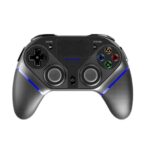
PlayCool ਮੈਨੂਅਲ ਅਤੇ ਯੂਜ਼ਰ ਗਾਈਡ
PlayCool specializes in high-performance wireless gaming controllers and charging stations compatible with PlayStation, PC, Android, and iOS devices.
About PlayCool manuals on Manuals.plus
PlayCool Gaming Accessories
PlayCool is a dedicated gaming accessory brand that focuses on delivering high-performance wireless controllers and charging solutions for gamers. Their product lineup includes the Elite Wireless Gaming Controller and Tri-Protection Charging Stations, which are designed to support a wide range of platforms such as PlayStation 4, PlayStation 5, PC, Android, and iOS devices.
Featuring ergonomic designs, Bluetooth connectivity, multi-axis gyro sensors, and built-in adjustable RGB lighting, PlayCool accessories strive to enhance the modern competitive and casual gaming experience.
PlayCool ਮੈਨੂਅਲ
ਤੋਂ ਨਵੀਨਤਮ ਮੈਨੂਅਲ manuals+ ਇਸ ਬ੍ਰਾਂਡ ਲਈ ਤਿਆਰ ਕੀਤਾ ਗਿਆ।
8719992301621 ਪਲੇਕੂਲ ਟ੍ਰਾਈ-ਪ੍ਰੋਡੈਕਸ਼ਨ ਚਾਰਜਿੰਗ ਸਟੇਸ਼ਨ ਯੂਜ਼ਰ ਮੈਨੂਅਲ
PLAYCOOL PS4010 Elite ਵਾਇਰਲੈੱਸ ਗੇਮਿੰਗ ਕੰਟਰੋਲਰ ਨਿਰਦੇਸ਼ ਮੈਨੂਅਲ
PlayCool Elite ਵਾਇਰਲੈੱਸ ਗੇਮਿੰਗ ਕੰਟਰੋਲਰ ਨਿਰਦੇਸ਼ ਮੈਨੂਅਲ
PlayCool Charging Station for DualSense PS5 Controllers: User Manual & Specifications
PlayCool Elite ਵਾਇਰਲੈੱਸ ਗੇਮਿੰਗ ਕੰਟਰੋਲਰ PS4010 ਨਿਰਦੇਸ਼ ਮੈਨੂਅਲ
PlayCool Elite ਵਾਇਰਲੈੱਸ ਗੇਮਿੰਗ ਕੰਟਰੋਲਰ ਨਿਰਦੇਸ਼ ਮੈਨੂਅਲ
PlayCool Pro ਕੰਟਰੋਲਰ HS-SW531 ਯੂਜ਼ਰ ਮੈਨੂਅਲ ਅਤੇ ਓਪਰੇਸ਼ਨ ਗਾਈਡ
PS4, PC, ਅਤੇ ਹੋਰ ਲਈ ਮਾਸਟਰ ਪ੍ਰੋ ਵਾਇਰਲੈੱਸ ਕੰਟਰੋਲਰ - ਨਿਰਦੇਸ਼ ਮੈਨੂਅਲ
PlayCool support FAQ
ਇਸ ਬ੍ਰਾਂਡ ਲਈ ਮੈਨੂਅਲ, ਰਜਿਸਟ੍ਰੇਸ਼ਨ ਅਤੇ ਸਹਾਇਤਾ ਬਾਰੇ ਆਮ ਸਵਾਲ।
-
How do I connect the PlayCool controller to a PS4 console?
For the first use, connect the controller to your PS4 using the provided Type-C data cable. Once connected, press the HOME/PS button. You can then unplug the cable to use it wirelessly.
-
How do I pair my PlayCool controller with an Android or iOS device?
Turn on the controller, then press and hold SHARE + HOME until the LED indicator light flashes intermittently. Go to your device's Bluetooth settings, search for 'PS4010', and click to pair.
-
What does the PlayCool warranty cover?
PlayCool offers a 1-year warranty from the date of purchase. It requires proof of purchase and does not cover damage from misuse, wearable goods, customer neglect, or incorrect repair.
-
How do I reset my PlayCool gaming controller if it malfunctions?
Insert a slender object into the Reset hole located on the back of the Gamepad and press the Reset button to restore its state.